
Tips for How to Clean Your Phone and Case

Key Takeaways
- Learning how to clean a phone screen is essential for its longevity, and it’s easier than you might think!
- Some key tips include always using a microfiber cloth where possible (on your screen and for your case).
- Warm, soapy water is great for getting tough stains out if you don’t have a cleaning solution handy.
- Avoid using your phone in public spaces where it is liable to accrue more dirt and dust.
Quick question: When was the last time you cleaned your phone? Now, how about your phone case? If you can’t remember the answer to either, it’s definitely time to get cleaning!
Washing both your phone and phone case is vital to keeping them free from the dirt and germs you’re exposed to each and every day, like kitchen countertops, the gym, bars, and restaurants. You touch those surfaces, then touch your phone, and transfer all those germs back and forth between you and your device. If you don’t know how to wash a phone cover, dirt and lint can get jammed in the charging port and interfere with charging, too.
Let’s make your phone shine by learning how to clean it! Use our easy tips for how to clean the case of your phone, and wave goodbye to all that dirt and bacteria!
Cleaning Your Phone and Screen
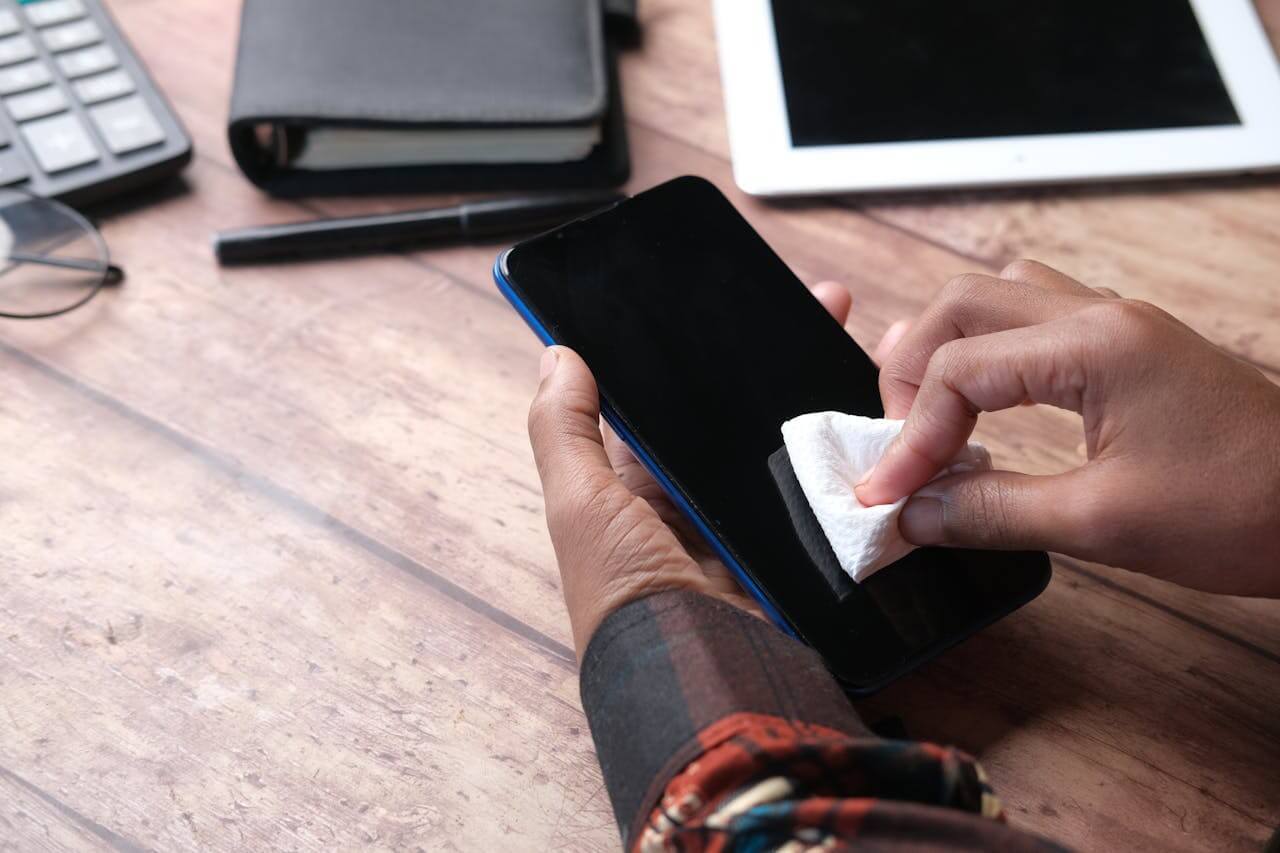
When learning how to clean your phone, you never want to spray cleaner directly on your phone or use harsh chemicals like bleach. They may damage your device and can ruin your screen’s protective coating. The same applies to your protective phone case. These cleaning agents can be corrosive, abrasive, and cause discoloration.
If you want to know the best tips for how to clean your phone screen without causing damage, you have a few options that are much safer and more effective than those abrasive cleaners.
Clean with Anti-Bacterial Wipes
One of the easiest ways to clean your phone is with an anti-bacterial wipe. Samsung, Google, and Apple have all given the okay to clean their phones with household disinfecting wipes or 70% isopropyl alcohol-based wipes (but not the ones with bleach).
Remove your case and turn off your phone, then wipe down the entire surface. (Make sure to avoid any ports!) Let it air dry for around 5 minutes, then dry it with a soft cloth to get rid of any excess moisture.
Remove your case and turn off your phone, then wipe down the entire surface. (Make sure to avoid any ports!) Let it air dry for about 5 minutes, then dry it with a soft cloth to remove any excess moisture. If you need to clean your case, use a separate wipe and dry it before putting it back on your phone.
Use a Device Sanitizer
Want to know how to clean your phone without worrying about moisture? Use a phone sanitizer instead, which uses UV light to kill surface bacteria. The sanitizer does all the work for you, so you can just sit back and relax while it disinfects.
All you need to do is put your phone in the UV sanitizer’s chamber and close the lid. These sanitizers are a great way to clean the case of your phone and typically take only 5 to 10 minutes. No heat, liquid, or damaging chemicals are required.
This is also a great method to clean your phone screen. UV sanitizers will kill the bacteria there, too, so there’s no need for any extra wiping after the cleaning cycle.
Use Warm, Soapy Water & Microfiber Cloth
Another tip for how to clean your phone is to use a little warm, soapy water on a microfiber cloth. Turn off your phone and wipe it down, making sure not get any water into any ports. Don’t forget the back and sides! We also recommend using this method when learning how to wash your phone cover.
Let it air dry and then wipe any moisture with a second clean microfiber cloth.
We recommend using a microfiber cloth instead of paper towels. Why? You always want to stick to softer materials like microfiber to avoid scratching your phone, phone screen, and case.
Cleaning Your Phone Case
Now that you know how to clean your phone, we have some tips for your phone case. In addition to using UV sanitizers and cleaning them with household wipes, other tips for cleaning your phone case include soap, water, and even a little baking soda.
Use Soap & Water
This tip to clean your phone screen works just as well for your case! All you’ll need is a small to medium-sized bowl, warm water, and mild dish soap. Keep in mind that this works best for rugged cases like silicone, plastic, and rubber; excess moisture can be damaging if you have a leather or wood case.
To clean your phone, put a drop of the soap into the water and lightly agitate it to work up some suds. Submerge your case into the soapy water (you may need to weigh it down with a spoon or other object) and let it soak for a few minutes. Rinse your case and dry it completely before putting it back on your phone.
Alternatively, you can also dip a microfiber cloth into the soap and water solution to clean the case of your phone. Hint: This is an excellent solution if you have a leather case because you can control the amount of water it comes into contact with.
Use Baking Soda or Vinegar
We’ve focused a lot on how to clean your phone. Now, let’s talk about how to clean phone cases! For stains, sprinkle your rubber, silicone, or plastic case with baking soda and let it sit for 5 minutes. Put a little bit of water on a microfiber cloth (just enough to wet it) and gently scrub the case to remove any stains, as you did when figuring out how to clean your phone screen.
Rinse and repeat as needed, then wipe it with a microfiber cloth and let it air dry before putting the case back on your phone.
Want to know how to clean your wooden case? Use a microfiber cloth (it’s safe for all cases) or put a small amount of white vinegar on a microfiber cloth and wipe any grime off.
Maintaining Your Phone & Case

Knowing how to clean your phone and how to wash your phone cover are great first steps, but you still need to keep up with maintenance. You don’t want all that cleaning you just did to go to waste!
Keep Your Phone Protected
The best thing you can do for your phone is keep it protected with a case and screen protector. It’s not only great for protecting against drops, bumps, and scratches, but these protective solutions also provide a defensive layer against germs. Some screen protection, like ZAGG’s Glass XTR4, even comes with anti-dust adhesive and an antimicrobial treatment for even more protection.
Put Your Phone Away in Busy Public Spaces
Learning how to clean a phone screen is a great first step, but protection is better than a cure. This includes gyms, public transportation, and restaurant bar tables. Even if you know how to clean your phone, avoid using it as much as you can in these places and keep it in your pocket or bag. Put your phone away in the bathroom, too. We all know how many germs are lurking in there.
Regular Cleaning Always Helps
The real secret to keeping your phone cleaner? Don’t wait for the stains and the dirt to show up. If you can manage it, it really helps to have a regular cleaning schedule in place once you know how to clean your phone. The schedule doesn’t have to be too rigid or frequent, either. Twice a month is more than enough for most people, even if you’re someone who commutes and travels for leisure regularly.
Of course, this only works if you’re already doing everything you can to protect your phone from the elements. Regular cleaning is great, but it can’t replace the protection you can get from a glass screen protector and a nice rugged case like the Rainier Snap.
Protect Your Phone With ZAGG
Friends don’t let friends use dirty phones. Take advantage of our tips for how to clean your phone screen and the case of your phone, and give your device the protection it deserves.
Discover the ultimate 360-degree phone protection with ZAGG!
Frequently Asked Questions
Loading results...